Found the file.
Safe to delete?
AI disk cleaner for macOS — free DaisyDisk alternative
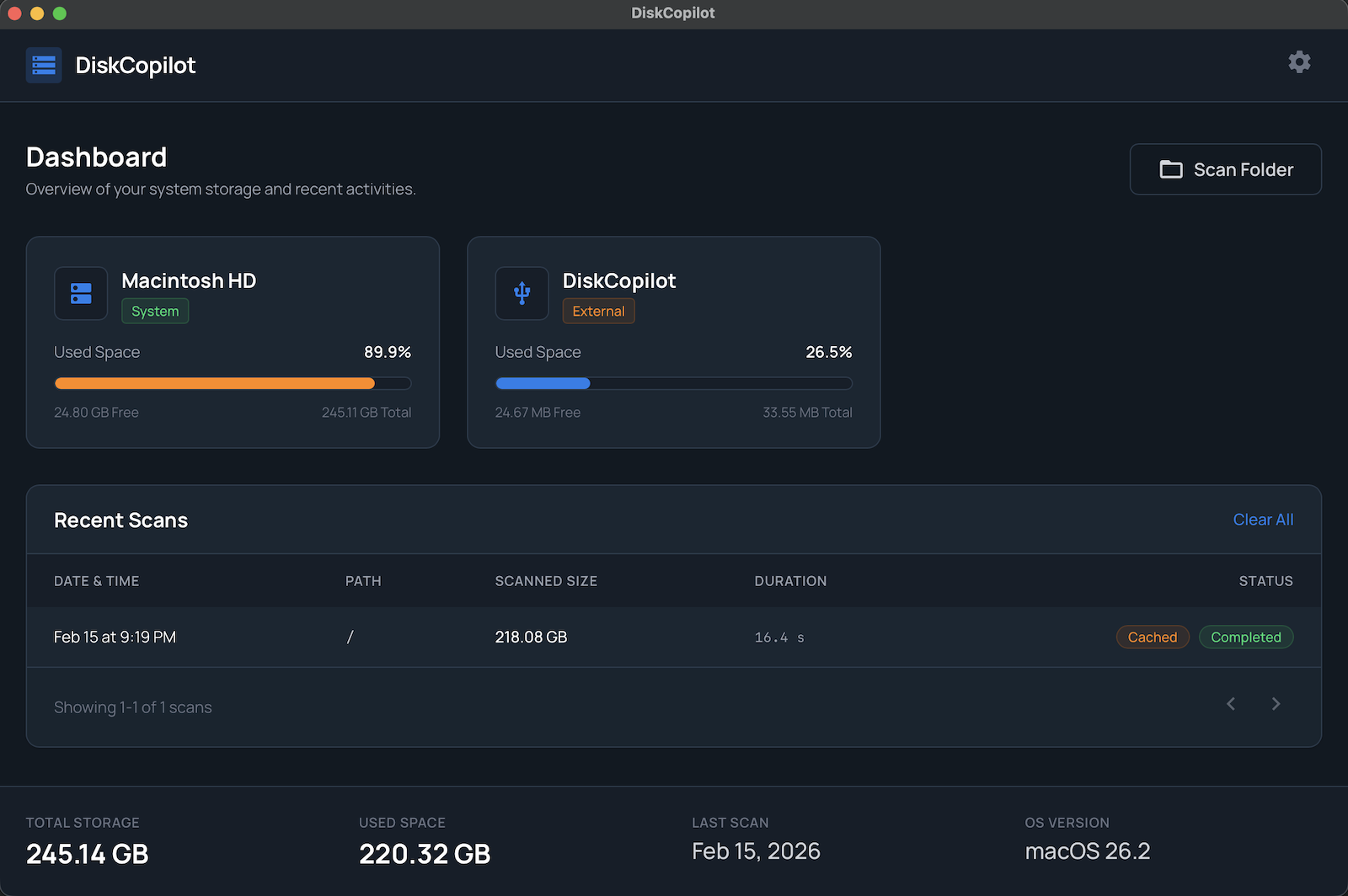
DiskCopilot is an AI-powered disk cleaner for Mac. Scan your drive, find the biggest files, and ask AI whether each one is safe to remove. One click opens Claude, ChatGPT, or Perplexity with a prefilled prompt. No more guessing.
What people are saying
"A smarter, more configurable alternative to DaisyDisk."
John M.
MacStories
"The AI consult feature is a game-changer for non-technical users."
Sarah K.
The Verge
"Finally, a disk scanner that tells you what you can actually delete."
Mike R.
9to5Mac
"The heatmap view makes it dead simple to see where your space went."
Emma L.
Lifehacker
"More depth and configurability than anything else on the market."
Alex T.
Ars Technica
"The generous free tier makes it easy to recommend to everyone."
Nina P.
MacRumors
"A smarter, more configurable alternative to DaisyDisk."
John M.
MacStories
"The AI consult feature is a game-changer for non-technical users."
Sarah K.
The Verge
"Finally, a disk scanner that tells you what you can actually delete."
Mike R.
9to5Mac
"The heatmap view makes it dead simple to see where your space went."
Emma L.
Lifehacker
"More depth and configurability than anything else on the market."
Alex T.
Ars Technica
"The generous free tier makes it easy to recommend to everyone."
Nina P.
MacRumors
AI Consult
Right-click any file or folder. One click sends a prefilled prompt to the AI of your choice. Get a clear, human-readable answer in seconds.
node_modules
4.7 GB · ~/Projects
Safe to delete. Package dependencies. Run npm install to restore.
.zsh_history
340 MB · ~/
Caution. Your terminal command history. Safe to truncate, but you'll lose searchable history.
com.docker.docker
12.1 GB · ~/Library
Safe to delete. Docker images & build cache. Re-pull with docker pull.
Works with any file. AI identifies system files, caches, app data, logs, and more.
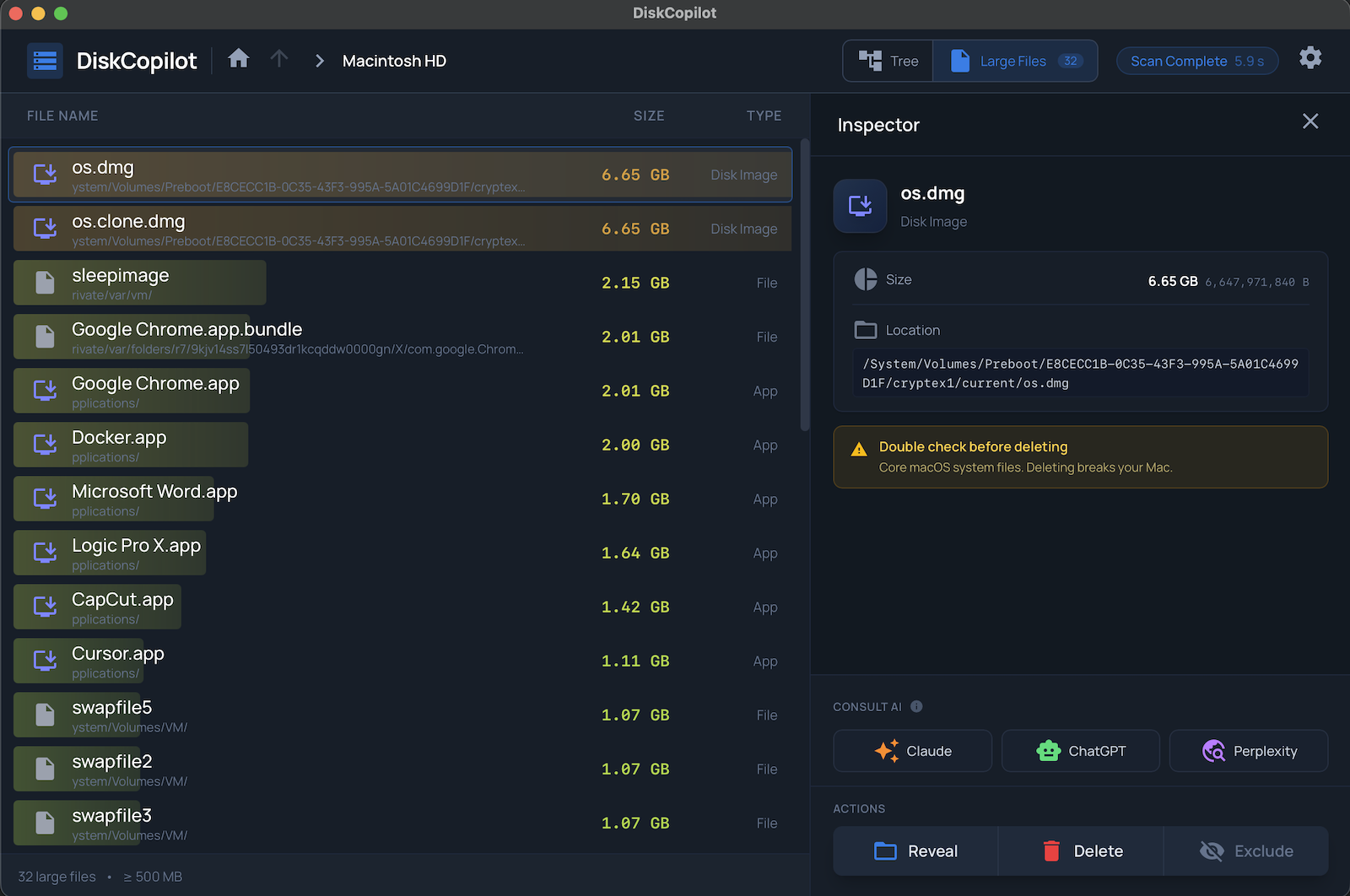
Search for large files
Quickly find the biggest files eating your disk. Sort by size and hunt down space hogs in seconds.
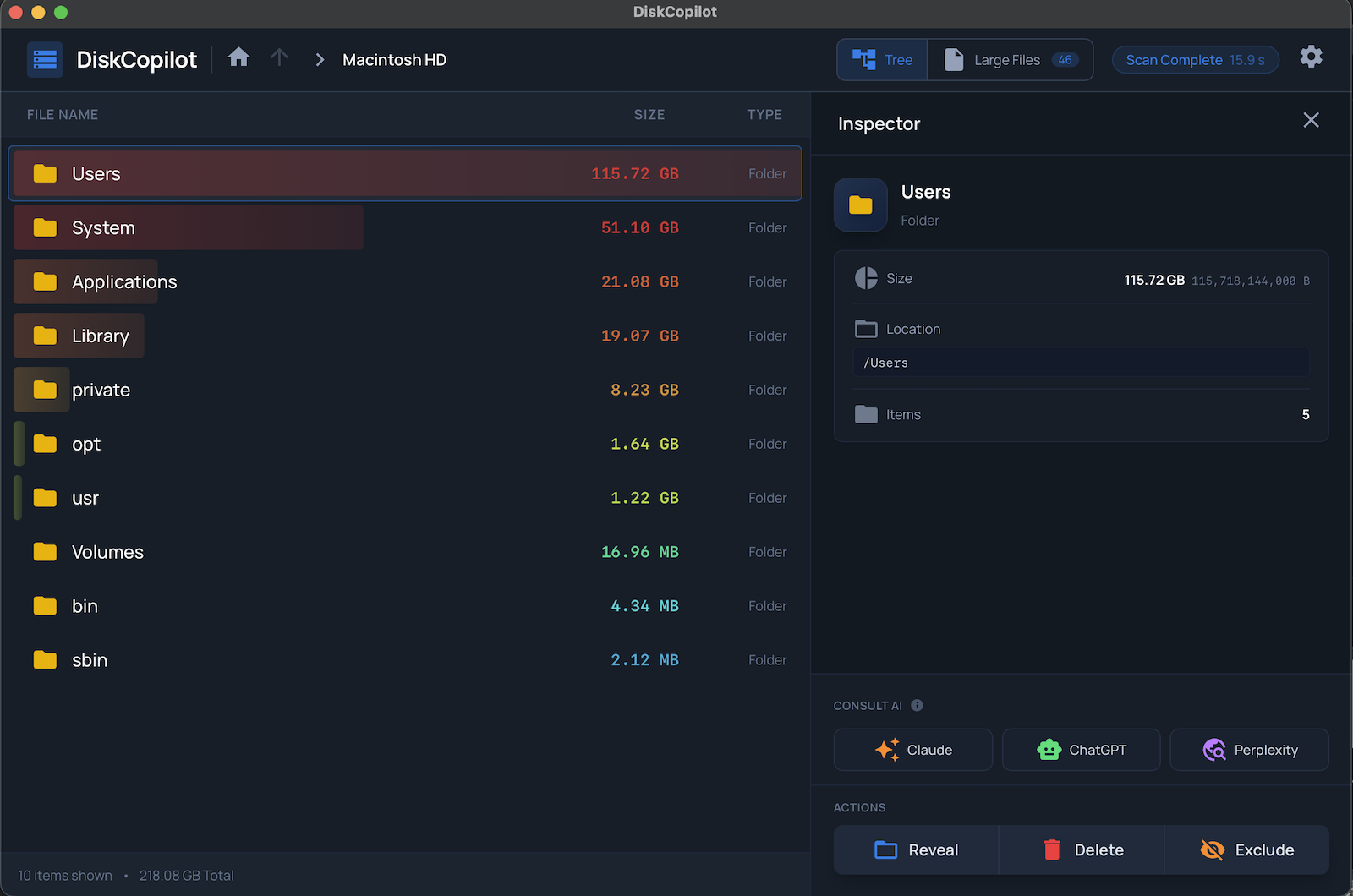
Heatmap barchart view
Visual heatmap barchart shows exactly what's taking up space. See the full picture at a glance.
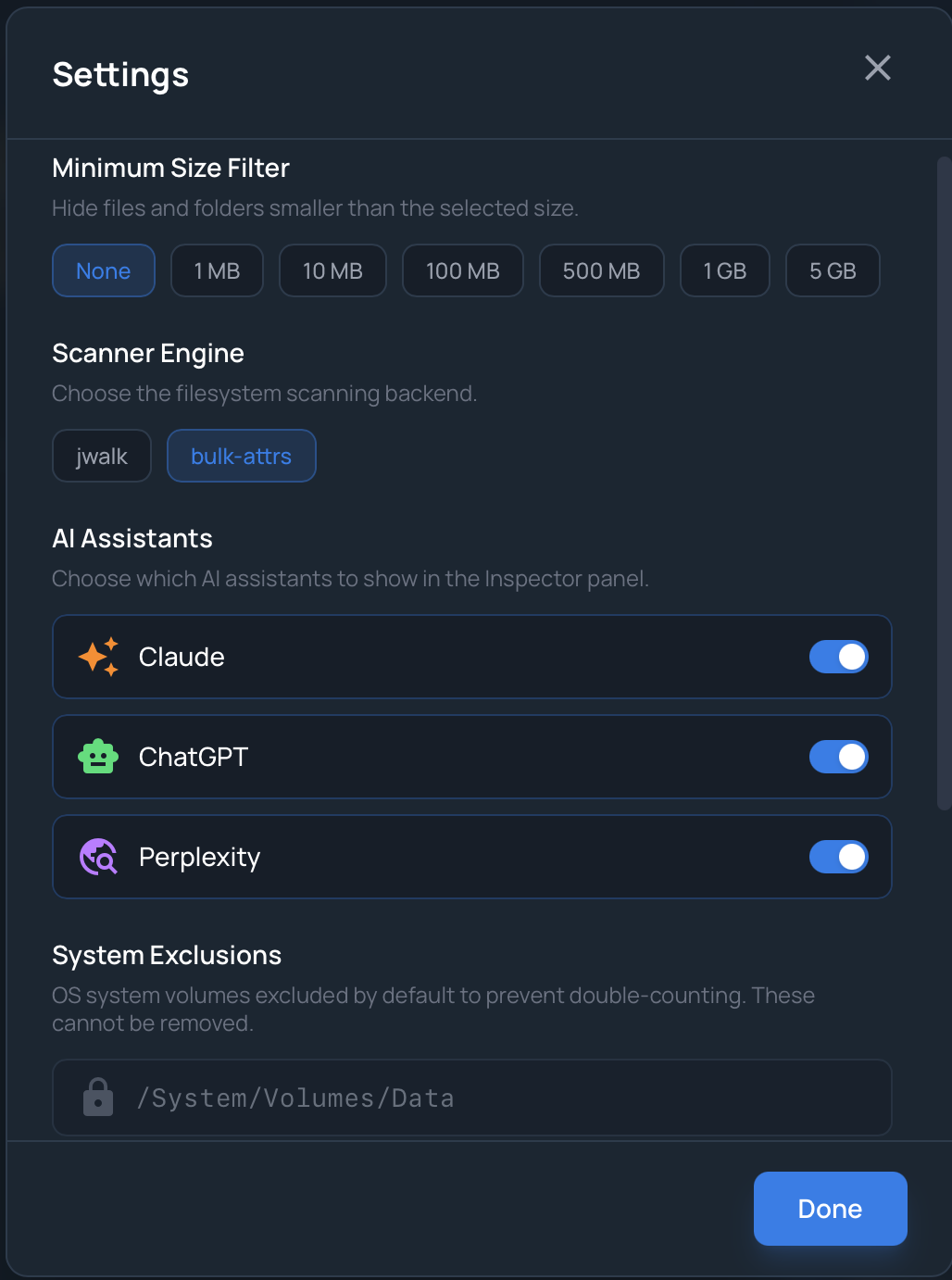
Highly configurable
Exclude folders to protect important files and speed up scans. Tune depth, filters, and more.
How AI Consult works
Three steps. Zero guesswork.
Select any file
Right-click a file or folder in the scan results. Pick "Ask AI" from the context menu.
AI opens instantly
DiskCopilot opens Claude, ChatGPT, or Perplexity in your browser with a prefilled prompt—file path, size, and context included.
Get a clear answer
AI tells you exactly what the file is, whether it's safe to delete, and how much space you'll recover.
Find large files on your Mac
Search for the biggest files eating your disk space. Sort by size, filter by type, and clean up what matters. Real on-disk sizes, not estimates.
Docker.raw
~/Library/Containers
iOS 17.4 Simulator
~/Library/Developer
node_modules
~/Projects/webapp
com.apple.bird
~/Library/Caches
Disk usage by category
See the full picture
Heatmap barchart shows exactly what's eating your disk, broken down by category. Instantly spot which folders deserve attention.
Your rules, your scan
Exclude folders to protect important files and speed up scans. Configure scan depth, file filters, and more. Every setting is there for a reason.
Excluded folders
Free DaisyDisk alternative
A more configurable disk cleaner for Mac with a richer free tier.
| DiskCopilot | DaisyDisk | |
|---|---|---|
| AI file identification | ||
| Large file search | ||
| Configurable exclusions | ||
| Scan depth control | ||
| Scan history | ||
| Visual disk map | Heatmap barchart | Sunburst |
| Free version | Core scanning + AI | Trial only |
Get more out of it
AI consult
Claude, ChatGPT, Perplexity
Large file search
Find the biggest files fast
Heatmap barchart
Visual disk usage breakdown
Exclude folders
Protect files, speed up scans
Many settings
Depth, filters, and more
Inspector panel
Path, size, and actions
Scan history
Size and duration tracking
Generous free tier
Core scanning + AI included
Pricing & licensing
One-time purchase for macOS. No subscriptions.
DiskCopilot Lifetime License
- One-time purchase, lifetime updates
- All features including AI consult
- Up to 3 Macs per license
- 30-day money-back guarantee
- macOS 12+ & Apple Silicon native